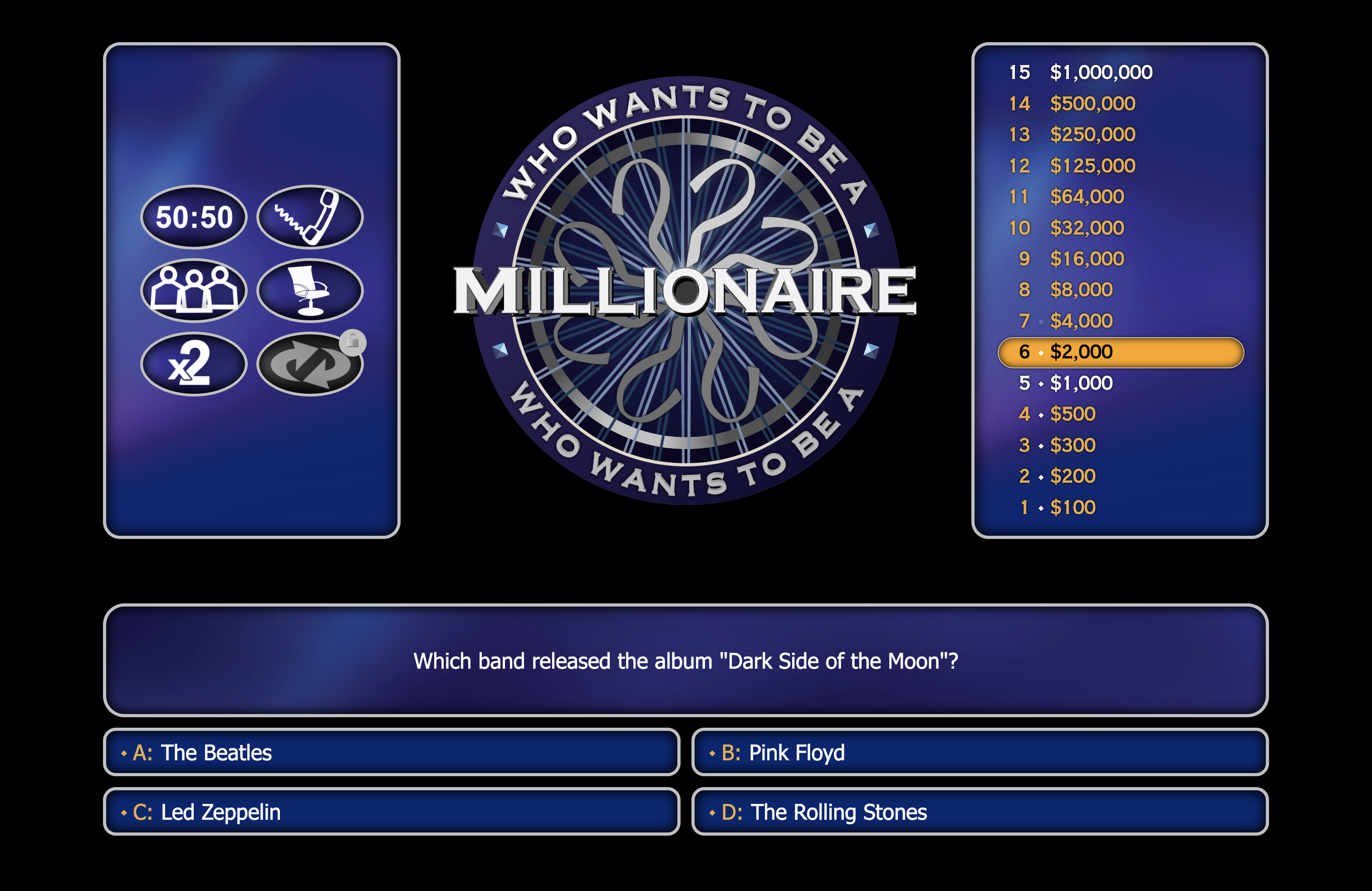
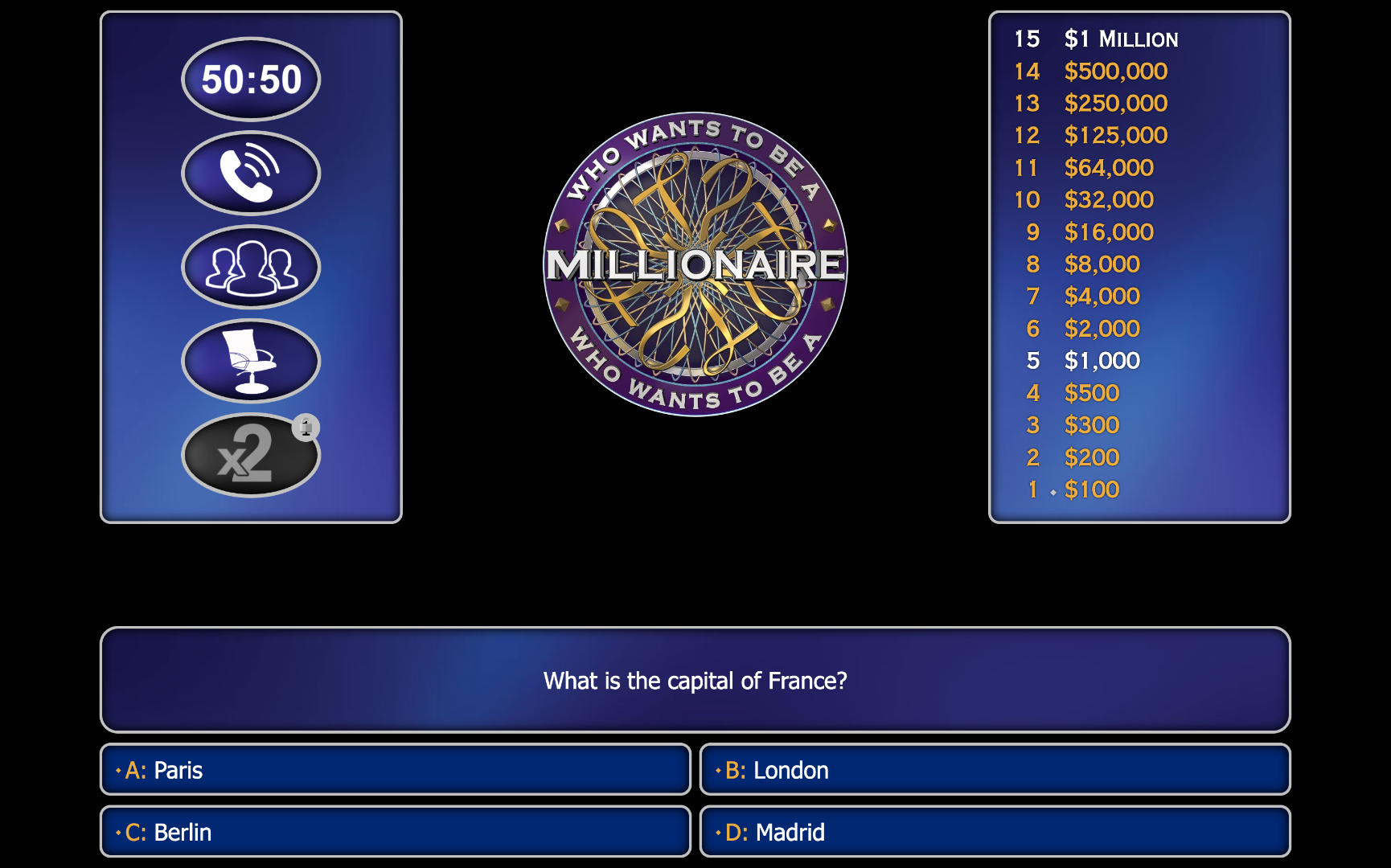
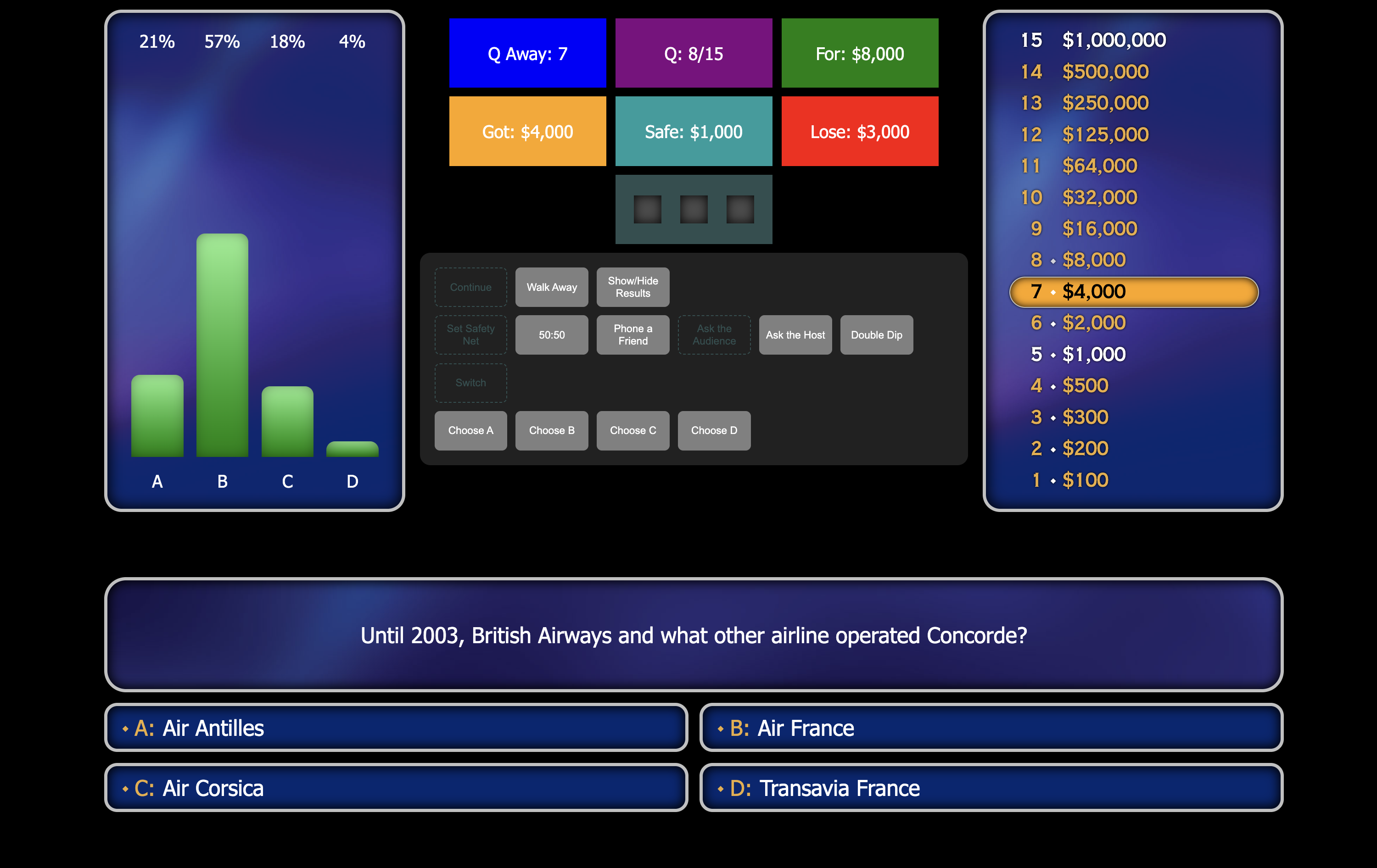
An application-like two-page website used for running quizzes in the Who Wants to be a Millionaire? format. Uses HTML, CSS and JavaScript. Includes matching graphics and music, and allows for extensive customisation with questions, quiz lengths, lifelines and more.
About
Web recreation of Who Wants to be a Millionaire? with separate host and player screens.
Customisable question sets by length and reward values.
Ability to include multiple questions within a set to add variation between rounds.
Vary gameplay by altering the number of answer options and lifelines available for each question.
Includes the official soundtrack with queues for different modes, questions and lifelines.
Includes dynamic backgrounds and logo that react to different parts of gameplay.
Details
Personal Project
Front-end Web Project
Start Date: April 2024
End Date: August 2025
Uses vanilla HTML, CSS and JavaScript, plus JQuery
Intended Discoveries
This project was a personal project intended to explore parts of front-end web development and JavaScript further. This included:
Experiment with using audio inside JavaScript, and how to manipulate and control it.
Experiment with communication between two different browsing contexts using Broadcast Channel.
Using front-end web code for an "app-like presentation purpose" rather than usual web content.
Implement a user experience where the website needs to be able to handle different and unpredictable inputs.
Try to implement a data source that can be used on the front-end to house quiz questions (spoiler alert, things didn't quite work out with this one)
Push CSS animations to "recreate" graphics.
While the outcome of this project was orientated towards learning front-end methods more than anything else, I always envisioned the project being used in a presentation setting as an alternative to existing quiz sites like Kahoot or Quizlet, except orientated towards a single person.
My Basic Requirements
Before I fully-committed to building this as a larger project, I had some basic criteria I wanted to meet when building a skeleton version.
Prove it is possible to sync music and audio queues to questions and the status of the game. I felt music was important as without it the experience would not be the same.
Prove it is possible to link together two different browsing contexts to have a "controls" screen and a "player" screen. The actual game has a host-player experience, so two screens would be necessary.
Prove that a web recreation of the game can be a reusable solution so it can be used for different quiz questions. What's the point if it is stuck with the same questions?
Create a setup on both screens that is reminiscent of the actual game.
Early Development
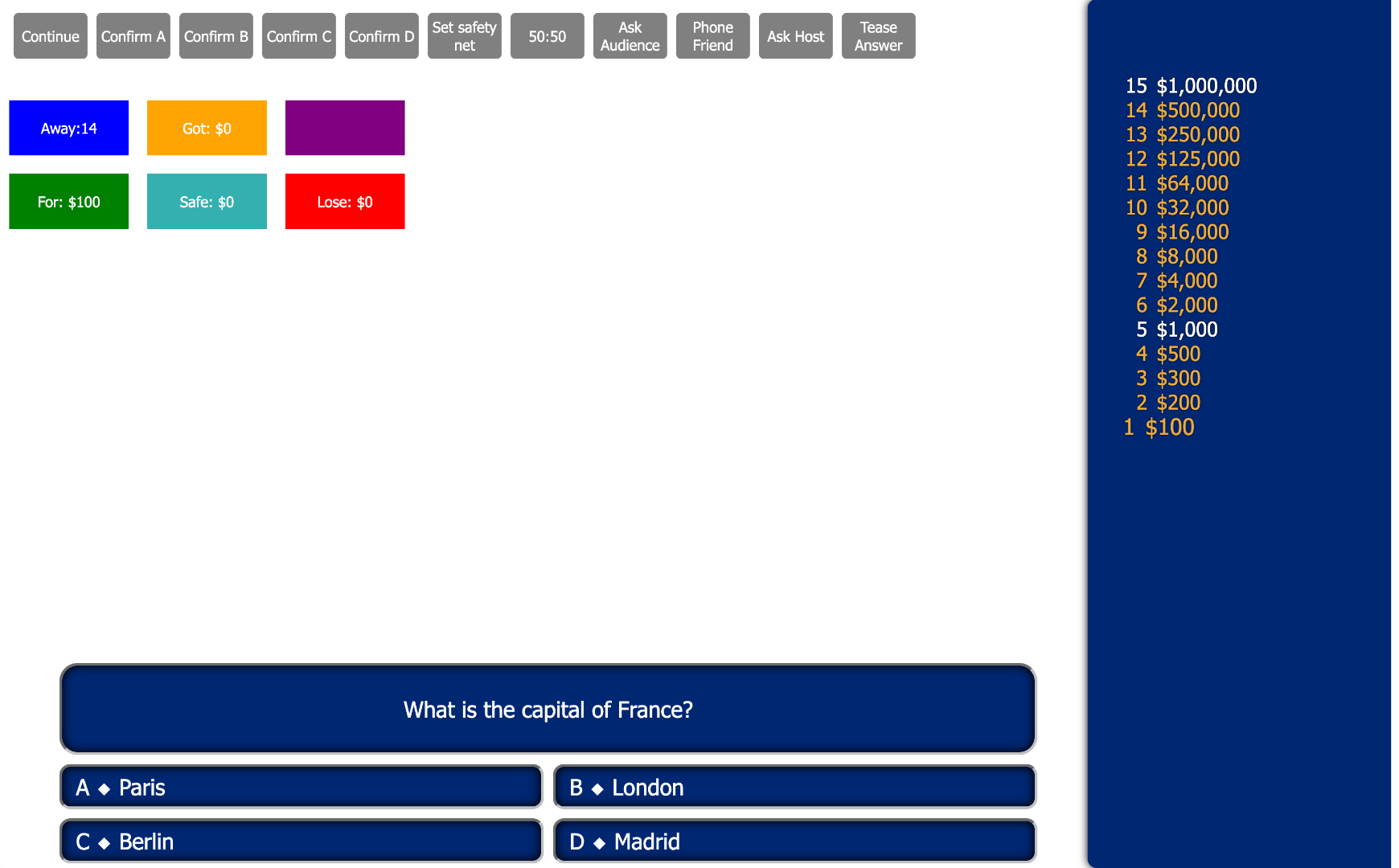
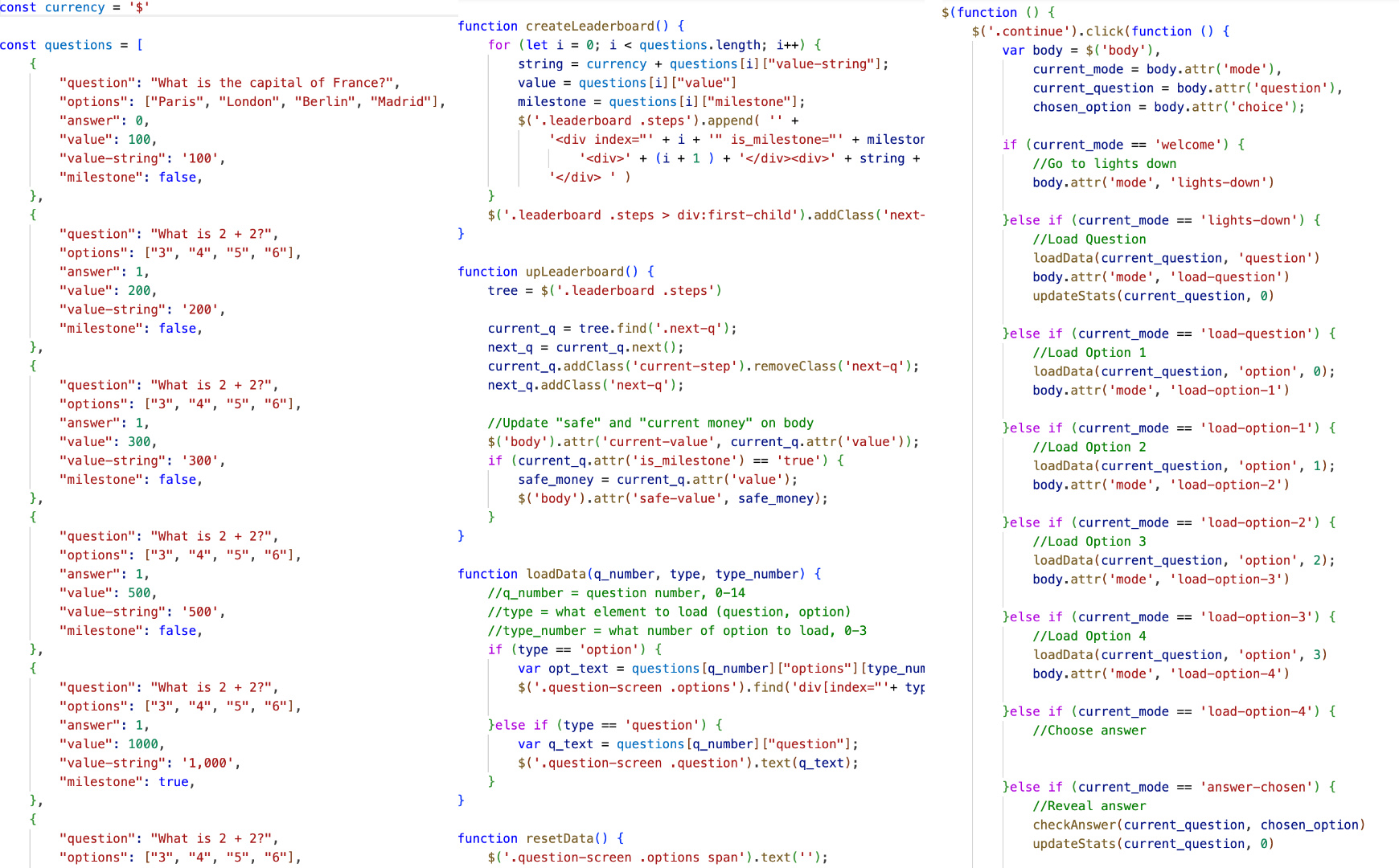
Front end, interface with controls and familiar elements.Backend. L to R: question format, element creator, quiz life-cycle.
My initial skeleton focused on establishing a re-usable quiz format. For this I used a JavaScript object. Originally I was hoping to use an actual JSON file to store quizzes, but because I was not using a web server for this project, CORS prevented me from doing this. I offloaded creating elements seen on screen to JavaScript, so they could later be reused for both browsing contexts, and so they could interact with the quiz questions. At this time the quiz states progressed through a massive if-else chain. Crude, but effective.
While at this point I did not have the two-screen set up working, the work to this point was useful for proof-of-concepts and working out how far I could take the project, and some of the limits and constraints I would be working within.
Difficulties with Music
I believed music and audio were essential to the project. The original game has separate queues and background music for each question, and that is something I wanted to keep.
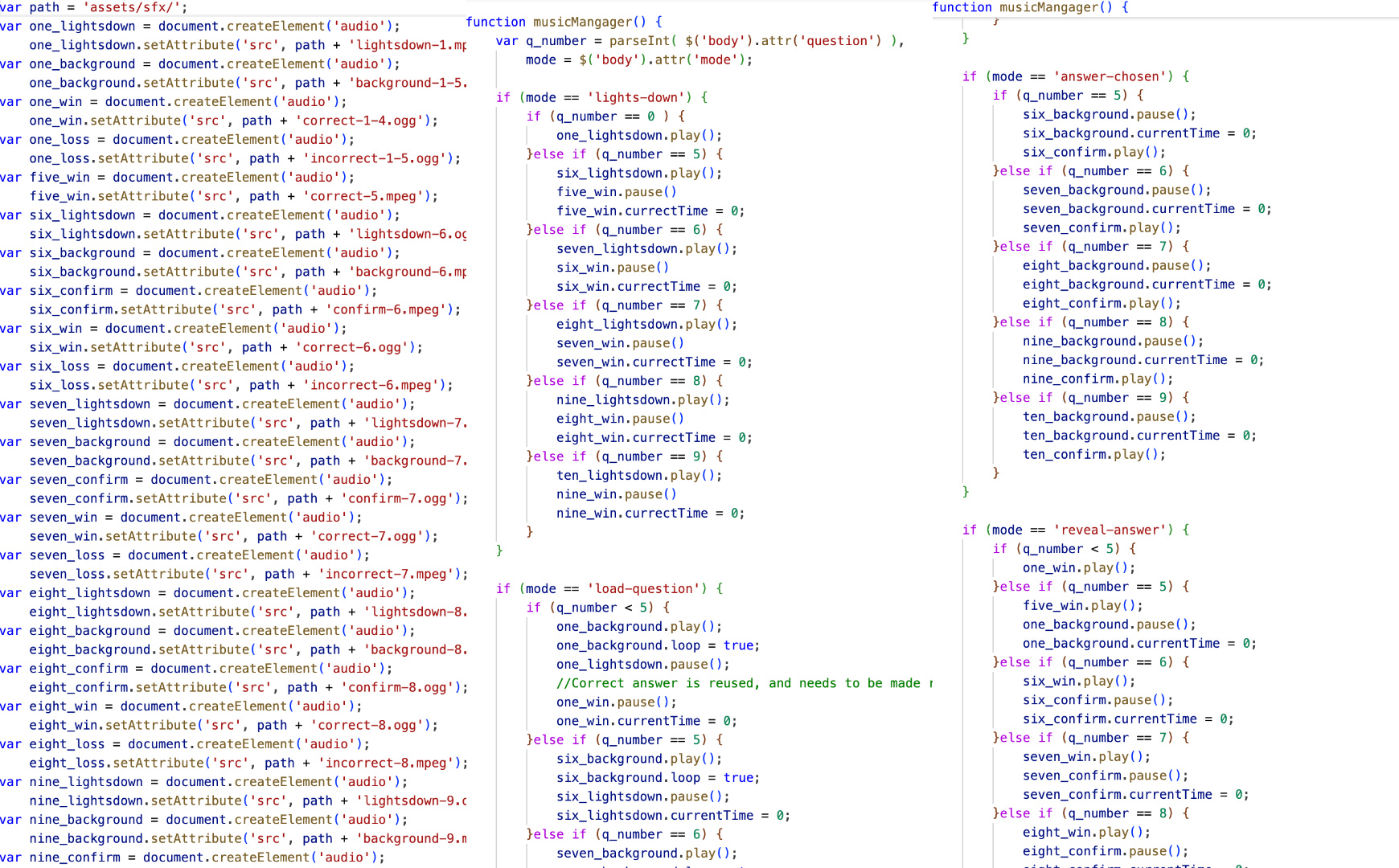
I worked out each audio file would need to be defined so it could be called upon later in different places. At this stage, I was working with a fixed 15-length question set, so the music code was not customisable and was pre-defined.
I was not at all happy with the way I had music working, even at this early stage. Every audio file being defined in the way it was came with huge readability issues, and the if-else chain was simply absurd. I would need to significantly re-invent this part of the project.
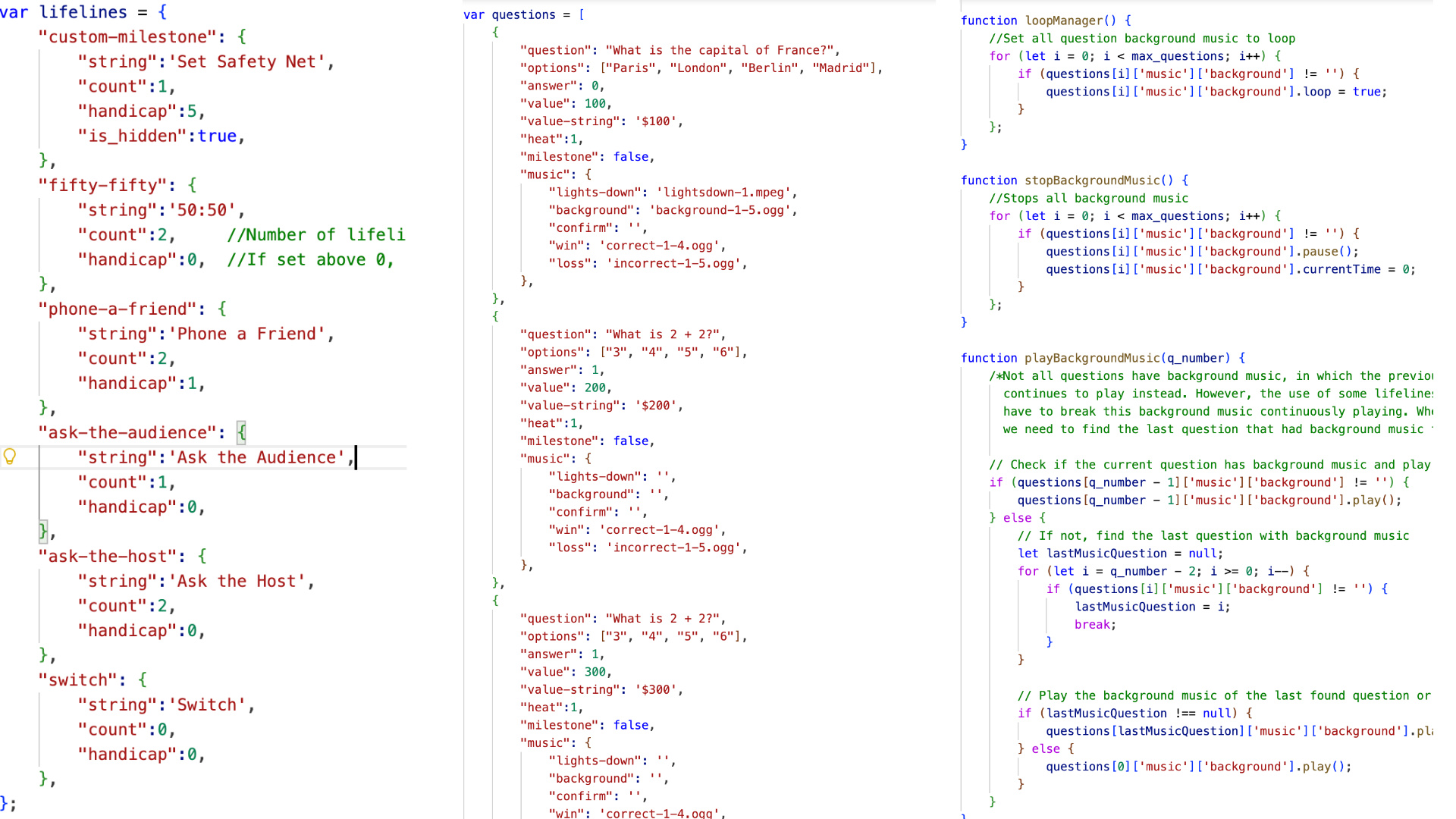
Original audio object definitions and functions. Ughhh...
Iterative Improvements
Revised Question Format and Music Management
To resolve the ineffectiveness of my initial music management, I refactored the all the audio functions and where the music files where defined.
As each question has its own music, I realised these could be quite efficiently defined in the same place as the questions themselves, and the function could index into this object to retrieve each audio object as the game progressed. This would also help with the customisation of quiz lengths later on, if you wanted more or less than 15 questions.
Revised quiz format and music management
Lifeline Progress and Statistics
As part of the format being revised, I allow for more control of the games lifelines, so you could choose how many you wanted and after which question they were available. I began implementing some of the more basic ones, like 50:50 and Phone A Friend, while leaving a framework for ones that needed more time, like Ask the Audience.
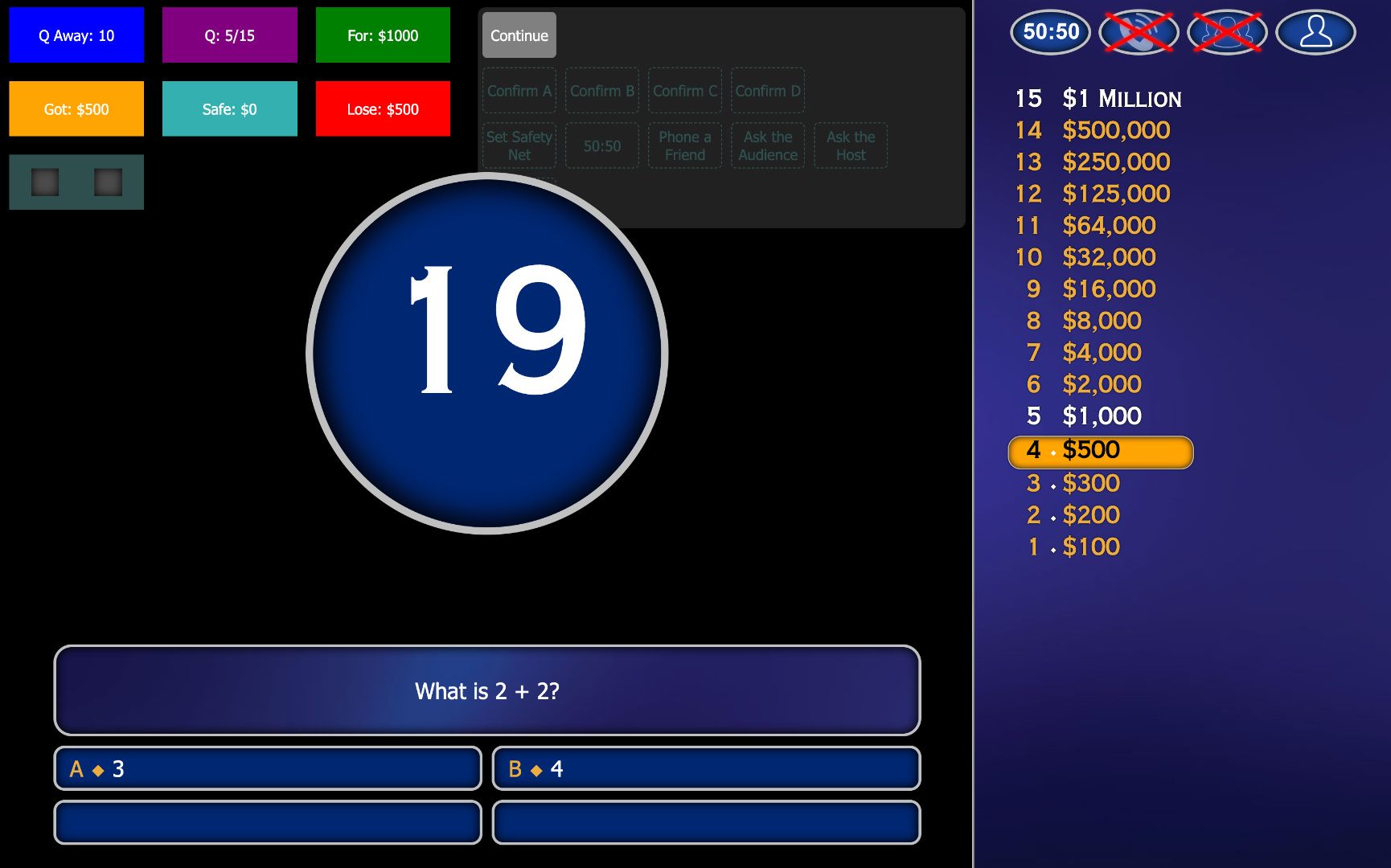
In addition, I implemented dynamic statistics to follow the progress of the game, such as how much money the player stood to win and loose during as the game progresses.
Revised Host Screen with Lifelines and Statistics
Revising the Front End
Establishing the second screen
As part of my criteria I always intended on having a second screen, which would be for the player, whilst the existing one would be for the host and person controlling the game.
Despite initially intending to reuse the layout of the existing host screen, I realised this would be an ineffective choice for two reasons. One, the player screen would not have controls and statistics, resulting in wasted space. Two, my host screen was modelled off the actual TV show overlays. I came to see this was impractical and illogical for the intended use of the project, as I would only ever display the questions, lifelines and money tree on screen.
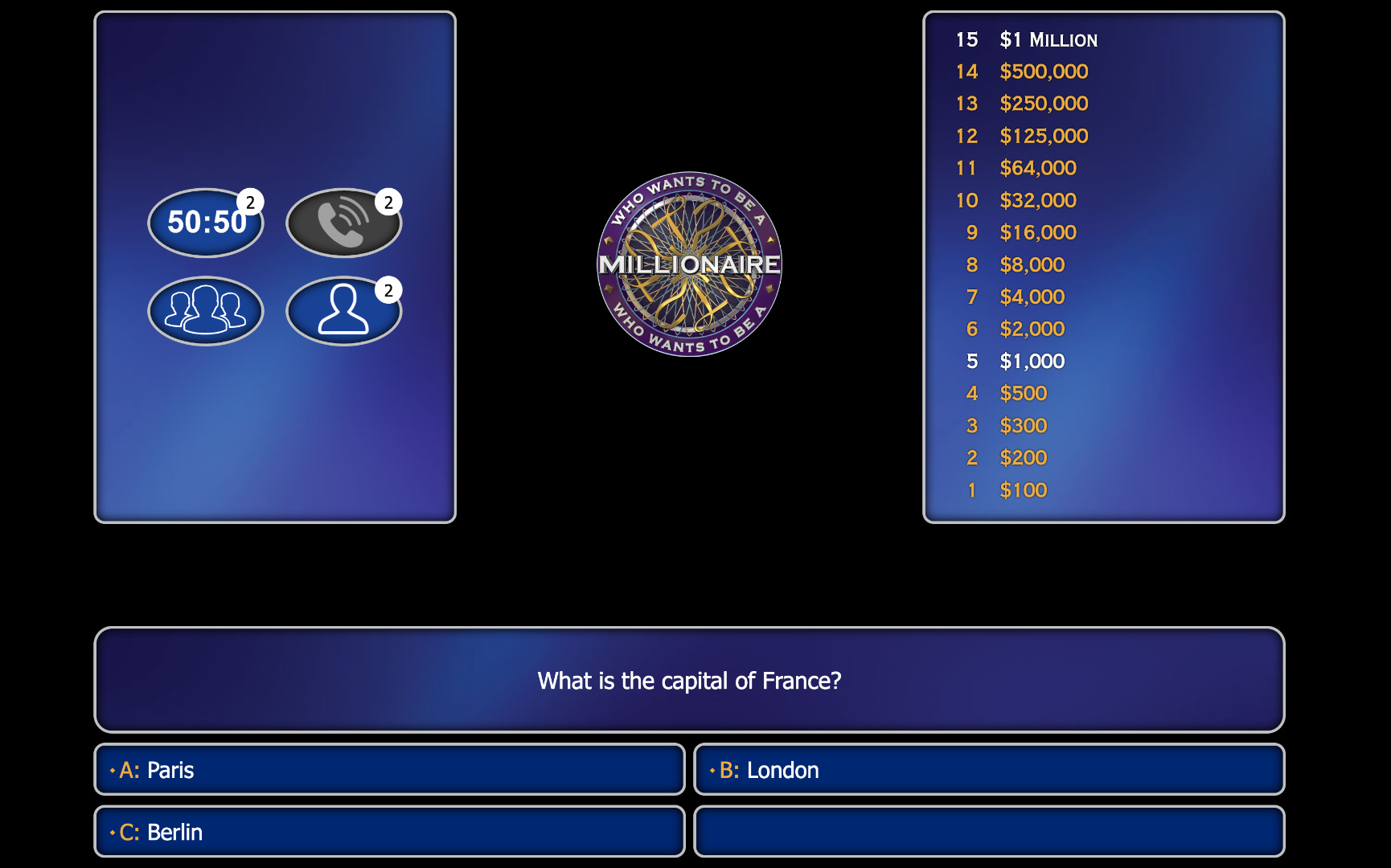
I revised the layout by increasing the question block to full width, which would be useful for longer questions and readability, and re-draw the money tree as a floating box, rather than a side module. I would do the same with the lifelines, which also allowed space for a logo.
Initial Player Screen
Unifying the two screens
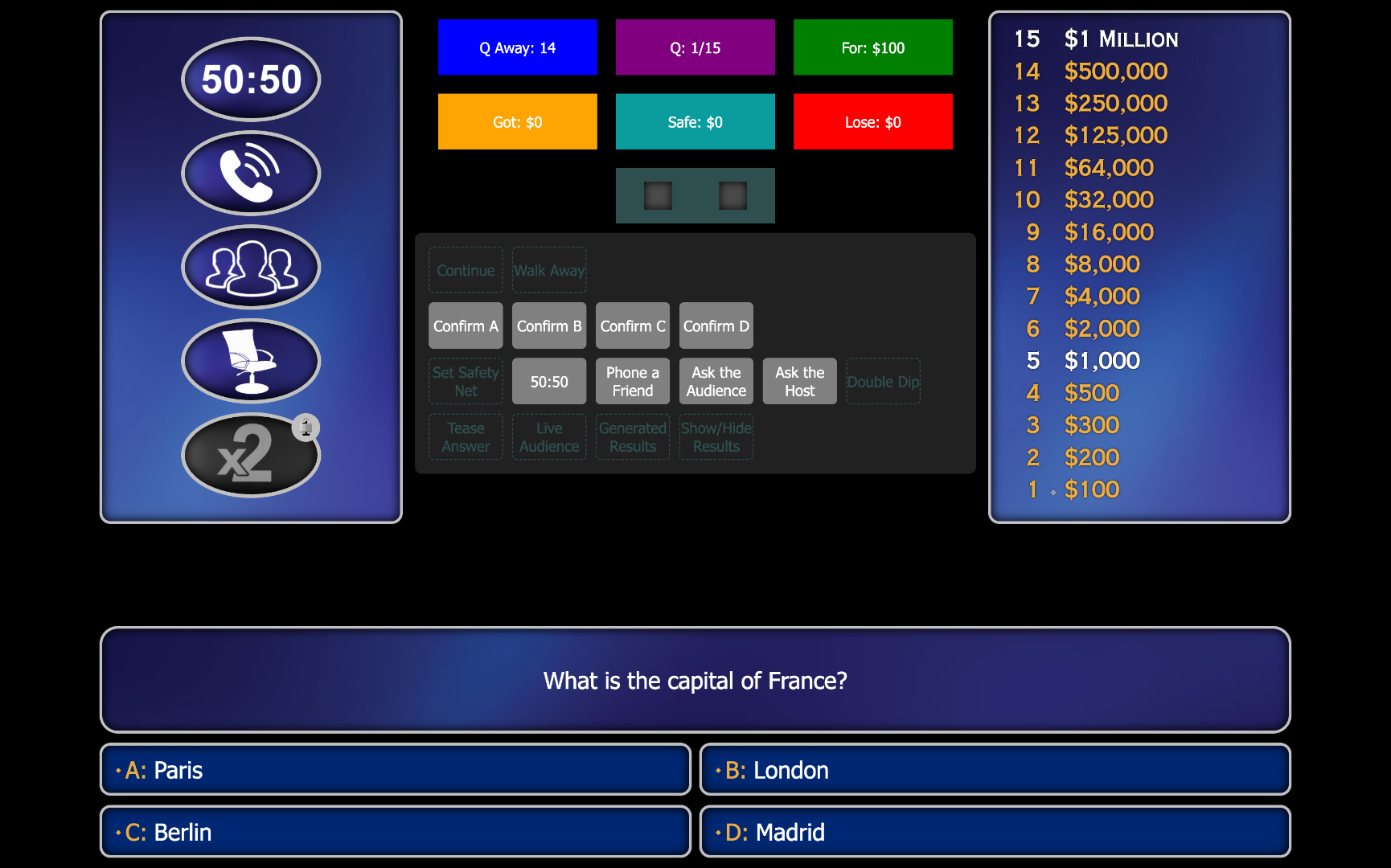
I soon felt that the solution I gave to the player screen could be adapted to the host screen as well, as I felt its use of space and symmetry was vastly superior.
Revised Host Screen using Player Screen Layout
Player Screen
Foundation Done, Improvements In
With further additions such as implementing missing lifelines and the ability to reset the game, I felt I had constructed a largely functional project and from this point further changes were to enhance visuals, optimisation and customisation.
Major Refactoring
I made many changes improvements to the project, some of which focused on backend functionality and others that were focused on the experience.
I refactored GUI functions to create or modify content on screen to shared JavaScript file which would be used by both screens. A helper method would be called on the Host Screen, which would run the function for the Host Screen, and also broadcast a message to the Player Screen to tell it to run it too.
I unfixed the number of options for each question away from four. This allows for true/false questions or three option questions for when writing quizzes. Theoretically the number is unlimited, but only six elements can fit on screen. This change had lots of trickle on effects, such Lifeline being able to handle varying option lengths.
The responsiveness of the webpages was changed to be based off the vertical window space. Prior to this, some elements were at fixed size, while others (including text) were scaled by JavaScript. This solved things like overlapping and misaligned elements across different screen resolutions and aspect ratios.
Lifeline Expansion
Throughout the development I added a total of six lifelines, plus the ability to set "safety nets" or "milestones" on the money tree during the game. These lifelines included "50:50", "Phone a Friend", "Ask the Audience", "Ask the Host", "Double Dip" and "Switch".
Lifelines that depended on human interaction such as Phone a Friend and Ask the Host were quite basic implementations. For Ask the Audience, I included to options, a way to input a headcount which would convert votes into percentages, and a computer generated random result, which would bias the correct answer, but less so the further the player progressed.
I would later change how lifelines were assigned in the quiz format. Initially, they were fixed and the settings for them were independent of the quiz questions loaded into the game. By changing this, different quizzes could choose how many lifelines were available, and any number of lifelines could be granted before each question loaded, and repeatedly for the same ones.
Ask the Audience (Host Screen)
Question Rotation Logic
I evolved the question rotation logic of the quiz many times. Initially, only one question could be assigned to each question in the money tree. For example, for a 15 question length quiz, there would only be 15 questions.
To have multiple rounds at a time without swapping out the question file, I changed this so multiple questions could be assigned to each question on the money tree (I called these "sub questions" internally to differentiate from the question length of the quiz). When starting a question on the money tree, a random (sub) question of those available for that question would be selected. That specific (sub) question could not be used again until all available (sub) questions were used, or the page was refreshed/reloaded.
This was largely effective at producing variated back-to-back rounds provided enough questions were created. However, it became problematic when questions of the same topic were rolled one after the other. To maintain random selection whilst reducing this annoyance, I added question categories.
The final question rotation logic worked as follows: when rolling the next question, questions of unseen categories would be prioritised and chosen at random. If no new categories were left, it would choose a random question of those unseen, but ignoring categories. If all questions had been seen, the pool of (sub) questions for the question would be reset.
Bringing the Logo to Life
Initially I used a static picture of the Millionaire Logo for the centre of the player screen. However, I always felt this was rather bland and could be used as an opportunity to make the experience more "immersive" by having it respond to events. This is true also for the 2018 reboot of the show, which features a large animated logo in the background. Most of the animations and states I chose to model directly from the show, while I took creative liberty with some of the others.
Some of the logo states
The logo is really brought to life with animations, using colour, scaling and many other transformations. The logo is created simply by using many html elements, plus some images to overlay the typeface. A canvas is only used to produce particles. Due to the number of layers, rendering the page can be demanding at times.
More logo states
Retrospective
This was an enjoyable explorative project. Whilst it certainly could be improved in many ways, I was quite happy with the end result. If I were to expand on the project, some things I would consider doing would be:
Run the project through a webserver so that actual JSON files could be used to store quiz data rather than using a JavaScript object in a js file. This would help polish the format. The loading of quizzes could be done in a GUI, rather than manually editing the import statements.
Include more checks and tests for potential errors, particularly where the quiz questions may not be formatted correctly or have missing data. There are lots of edge cases that could probably break the project.
Create a separate app or site to create quizzes in the JSON format using a GUI, to eliminate ambiguity when writing quizzes and speed up the process.
Create a third screen so that the host does not necessarily have to be the person controlling the quiz. In this scenario, there would be a "host", "player" and "control" screen.
Optimise the logo. The logo can be quite resource demanding because of the number of html elements being animated with css. Utilising canvas more could help with this.
Demo
Watch a demo of the Player Screen in action.
This project is not publicly accessible. Access may be granted upon request.
This is an unofficial personal project. All trademarks and visual assets related to Who Wants to Be a Millionaire? belong to their respective owners. This project is not affiliated with, endorsed, or approved by Sony Pictures Television or any associated parties.